Configure Cloud Native Services
The Cloud Native Service (CNS) feature allows you to provision cloud resources and securely link them to your application using cloud-agnostic terminology. This guide walk you through how to configure cloud resources from the Game Warden app.
Feature availability
This feature is exclusive to customers on the Runtime deployment architecture. To verify your current architecture or to request a migration, please contact your Mission Success Manager.
Steps to configure a CNS
- Log in to your Game Warden account with administrator privileges.
- From the App Central page, select the Configure tab.
-
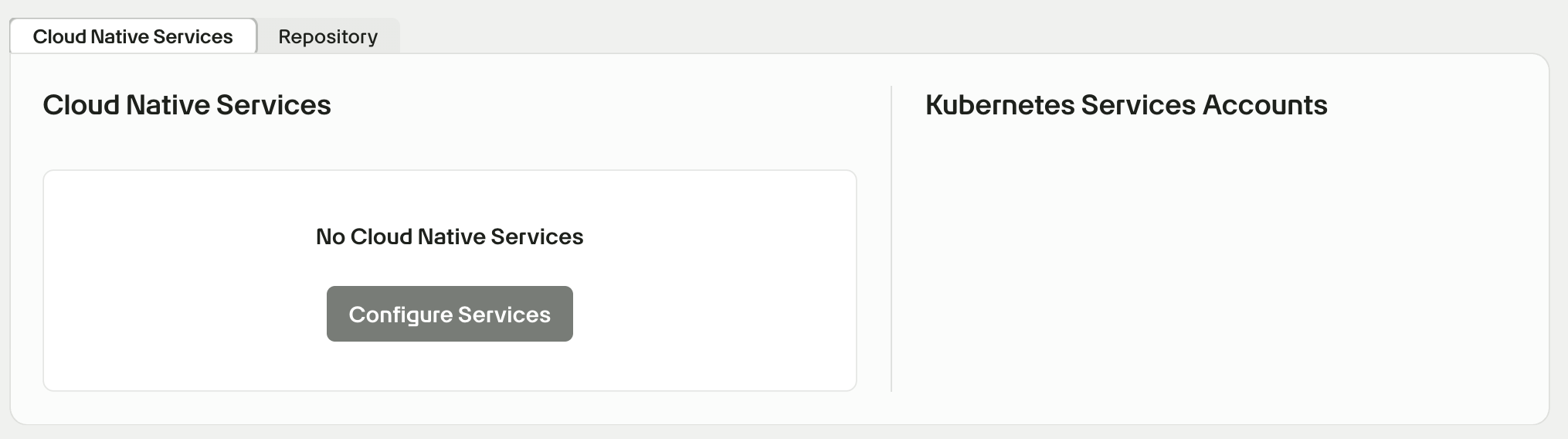
Click the Cloud Native Services sub-tab to view the list of services currently configured for your application.
-
Click Configure Cloud Native Service to add a new resource.
-
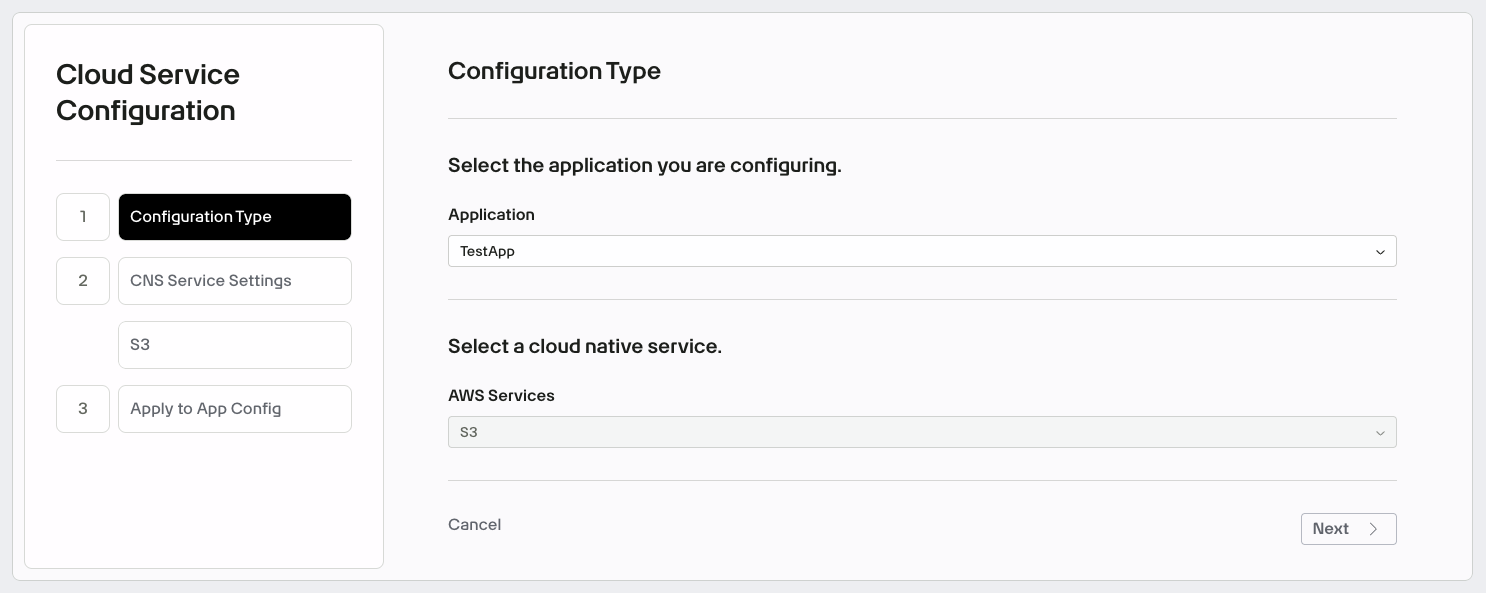
In the Configuration Type section, select the application and the specific service (e.g., S3, ElastiCache, or SQS) from the dropdown menus, then click Next.
-
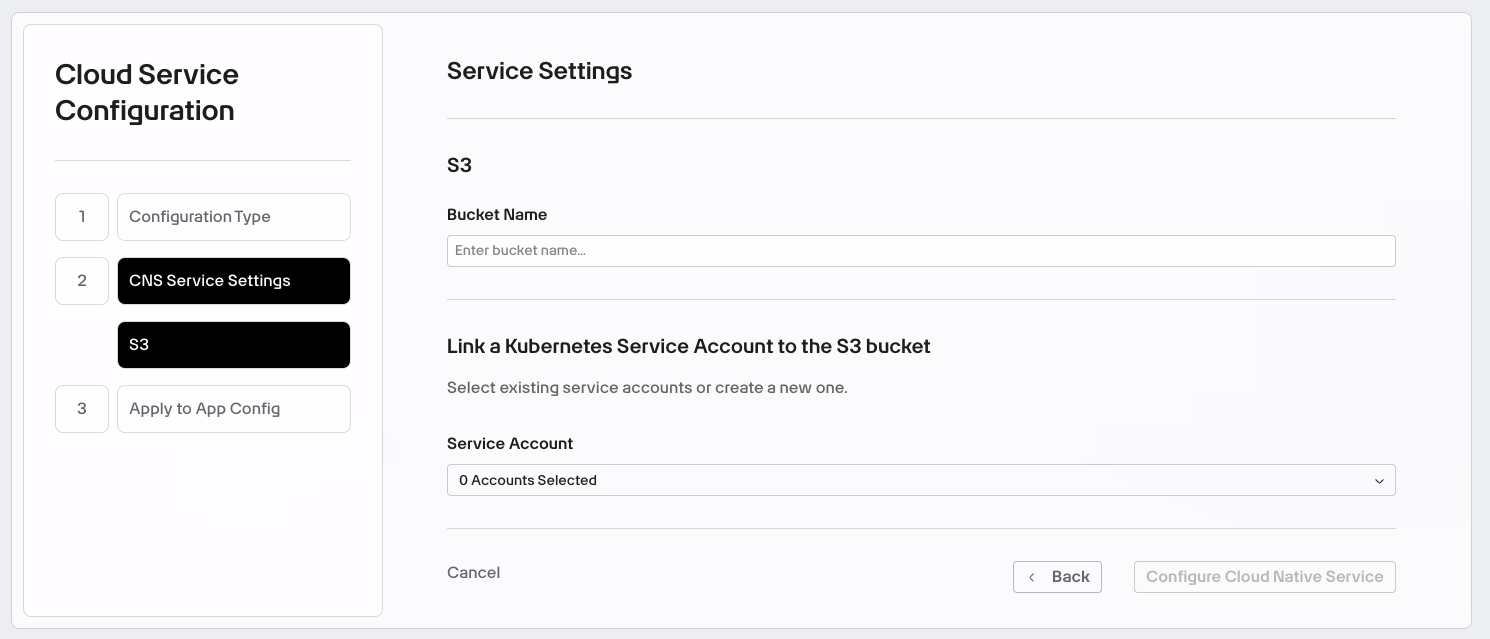
In the CNS Service Settings section, enter the bucket name and select or create a Kubernetes service account. Note that selecting a service account creates the x-pod identity required to link your Kubernetes (K8s) service account to the cloud resource.
-
Click Configure Cloud Native Service to finalize and deploy the configuration.
What happen when you link your S3 bucket to a K8s service account?
When you link a service account to an S3 bucket, Game Warden performs a sophisticated handshake in the background:
- Export Identity Creation: The system creates a hidden Export identity role (a specialized Pod Identity).
- Cryptographic Binding: This Export identity is strictly bound to your selected K8s service account.
- Reusability: Once an Export identity is created for a service account, it can be reused. You can bind the same service account to multiple cloud services (e.g., S3 and an RDS database), and they will all share that secure identity.
- Final Configuration: After configuring your services, Game Warden provides a single general editor to manage secrets and values, ensuring your application has the connection strings it needs to communicate with the newly provisioned resources.
By using "service account" as the primary term, Game Warden provides a cloud-agnostic experience. You don't need to be an AWS IAM expert to secure your app-you simply manage the Kubernetes identities you're already familiar with, while Game Warden handles the complex identity mapping (Export roles) required for a secure, ATO-ready environment.