Meet Klowd: Your Game Warden AI Assistant
Klowd is an AI assistant built directly into Game Warden to help you work faster and smarter. Ask questions in plain language and get instant answers about security compliance, platform features, troubleshooting steps, and technical procedures.
Klowd searches the Game Warden Help Center, Second Front's public website, core documentation, and select external sources, to ground every response in accurate, current information. You'll receive clear guidance with relevant context and links to source materials, so you can quickly find what you need and get back to work.
Why use Klowd
Navigating complex dev-sec-ops environments can be challenging. Klowd acts as your 24/7 technical partner, providing:
- Instant guidance: Get immediate answers to "how-to" questions without searching through documentation.
- Efficiency: Reduce the time spent troubleshooting by letting Klowd summarize requirements and processes.
Coming soon
Contextual support: Klowd understands the specific environment of Game Warden, offering relevant advice for your deployment.
How to access Klowd
To access Klowd, click the icon located on the upper right of the Game Warden web app.
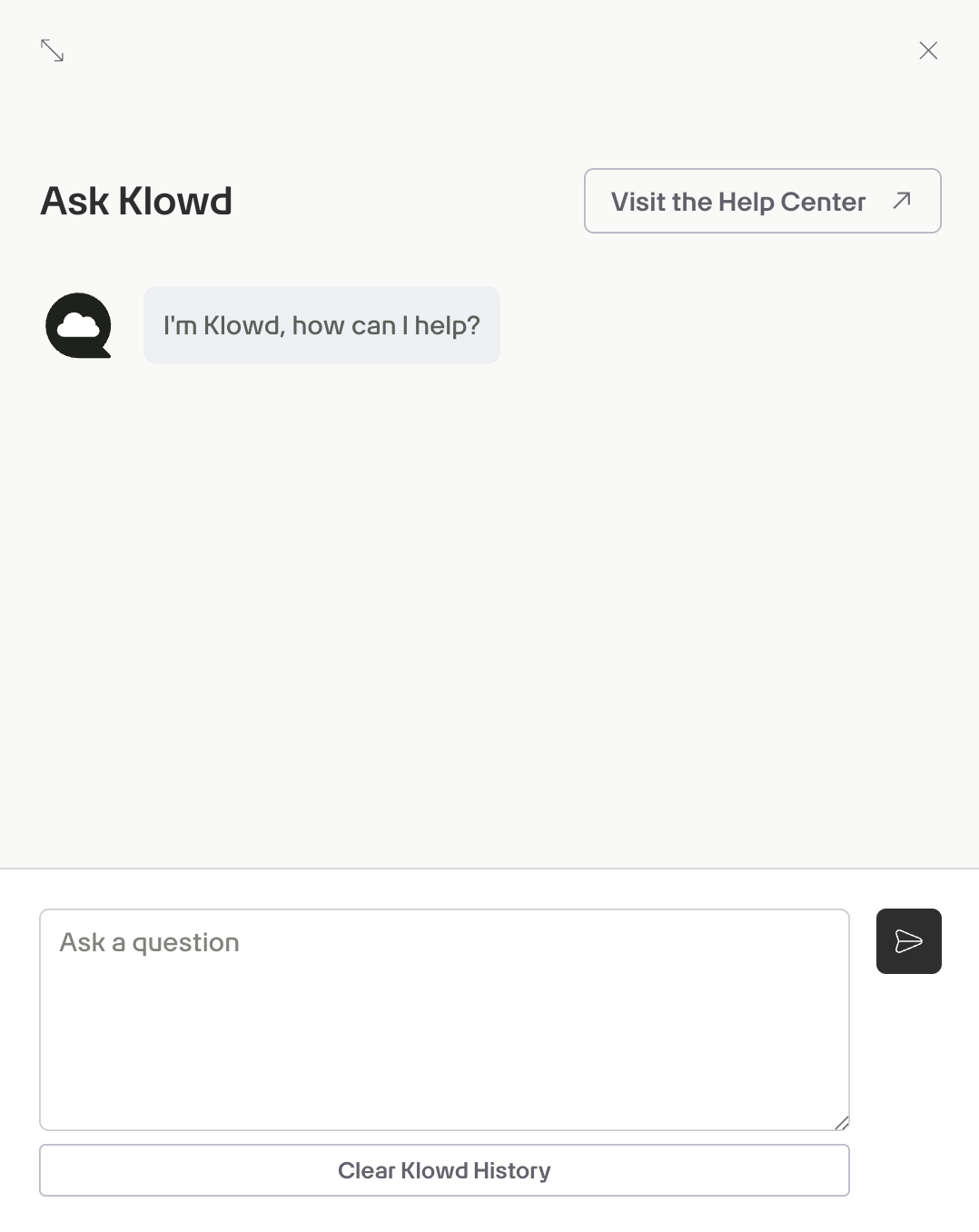
Example prompts
Below are example prompts you can try using Klowd:
- "What is the complete onboarding process from start to production?"
- "How long does it typically take to deploy to Game Warden?"
- "What is the fastest path from development to production?"
- "Should I deploy to Commercial first or go straight to DOW?"
- "What resources does Second Front provide during onboarding?"
- "How do I know if my application is ready for Game Warden?"
- "What is the difference between ATO, Software Approval, and Deployment Passport?"
- "Do I need my own ATO or can I inherit Game Warden's?"
- "How long is a Software Approval valid and how do I renew it?"
- "What triggers the need for a new Deployment Passport?"
- "What's an ISSM and why do I need their signature?"
- "Do I need separate authorization for each Impact Level?"
- "What security documentation do I need to provide for my app?"
- "What is the difference between IL2, IL4, IL5, and IL6?"
- "Which Impact Level do I need for my specific data type?"
- "Does Game Warden support IL6 or classified deployments?"
- "What's the difference between NIPRNet and SIPRNet access?"
- "Can I deploy the same application to multiple Impact Levels?"
- "What environments are available (DEV, Staging, Production)?"
- "How do I set up my CAC card for authentication on macOS or Windows?"
- "What is Platform One SSO and how do I log in?"
- "Do end users need CAC cards to access my application?"
- "How do I configure OIDC or use my organization's existing SSO?"
- "How do I install and troubleshoot AppGate SDP?"
- "What is CNAP and how do I get my IP whitelisted?"
- "How do I implement custom authorization logic in my app?"
- "What are the entrance requirements and containerization needs?"
- "Can I use a monolithic architecture or must it be microservices?"
- "How do I connect to third-party APIs or external databases?"
- "Do I need to use Iron Bank base images? What are they?"
- "How do I handle secrets and environment variables safely?"
- "What are the logging and health check requirements?"
- "What managed database solutions does Game Warden support?"
- "How do I populate my database or perform data migrations?"
- "How is data encrypted at rest and in transit?"
- "Can I access my database directly for troubleshooting?"
- "How do I perform and manage database backups?"
- "What does the CI/CD pipeline process look like and how long does it take?"
- "What is container hardening and why does Game Warden need my Dockerfiles?"
- "How do I push images to the Harbor registry and what do the tags mean?"
- "Can I run the pipeline or scans locally before pushing?"
- "How do I access my pipeline artifacts?"
- "How do I view and remediate CVEs for my application?"
- "What is the difference between CVE remediation and justification?"
- "How long do I have to fix critical vulnerabilities before losing access?"
- "What is the Acceptance Baseline Criteria (ABC)?"
- "What is an SBOM?"
- "How do I generate SAST artifacts?"
- "How do I access application logs using Loki?"
- "What is Grafana and how do I create custom dashboards?"
- "How do I set up alerts and monitor performance?"
- "What are my 'Day 2' responsibilities after going live?"
- "What constitutes a 'significant software change' requiring re-authorization?"
- "How do I handle security incidents or test disaster recovery?"
- "How do I submit a support ticket or request a pairing session?"
- "What is the expected response time for Support Tickets?"
- "My application is down in production-what is the escalation procedure?"
Research & mitigate vulnerabilities with Klowd
Use Klowd to perform deep-dive research and document mitigations for CVEs identified within your application. Klowd can interact with threat intelligence APIs and assemble evidence‑based answers to document and detail vulnerabilities, and potential remediation actions.
Access vulnerability details
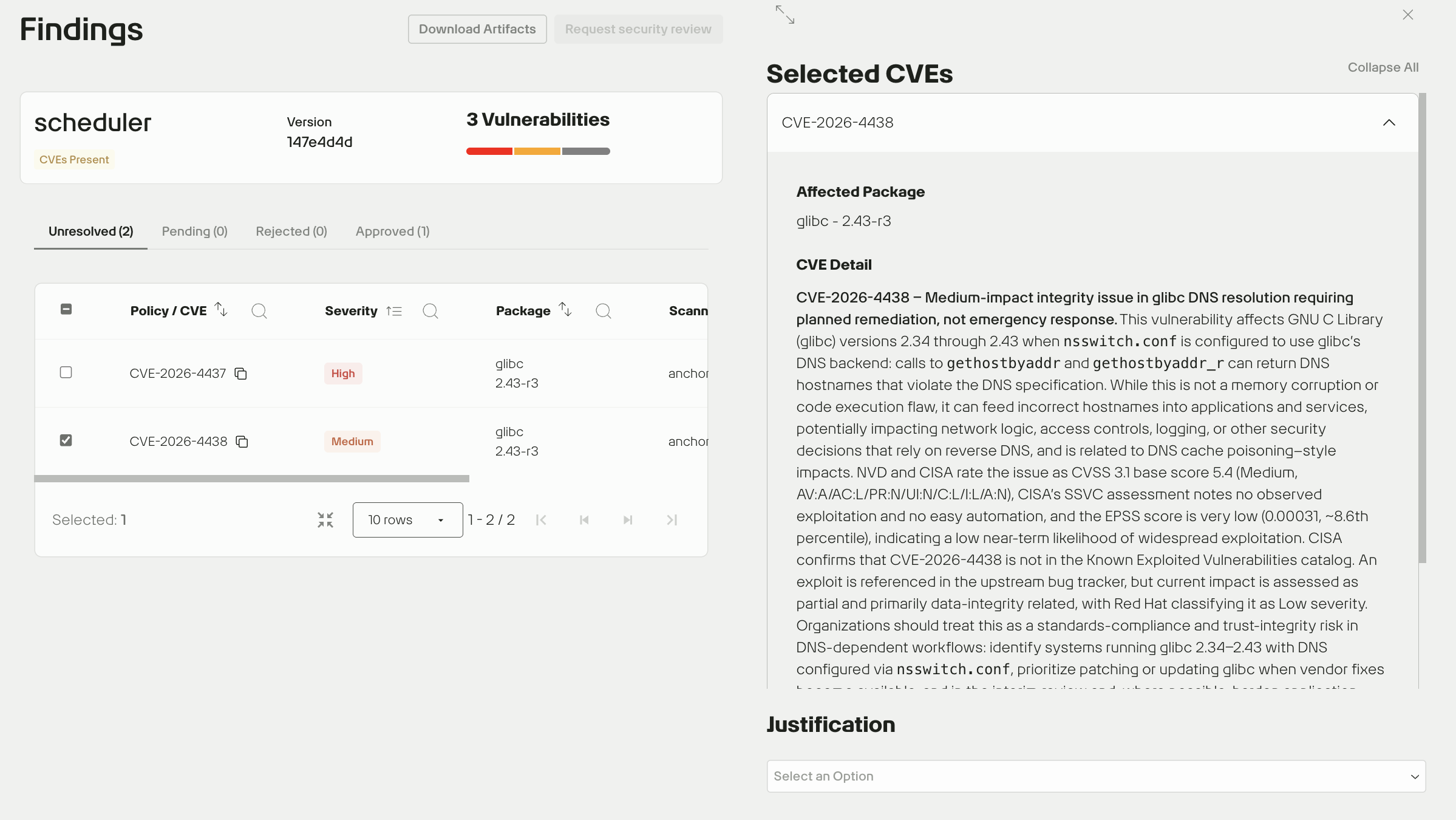
- Go to the Findings page. This dashboard displays a list of all discovered CVEs, categorized by Severity (e.g., Critical, High).
- Select a specific CVE ID to open the Selected CVEs detail drawer.
Review CVE reports
Inside the drawer, you will see the Affected Package and a summary of the vulnerability. Scroll to the bottom of the drawer and click Learn more about CVE-XXXX to open Klowd's in-depth security report, which include technical details and potential remediation paths.
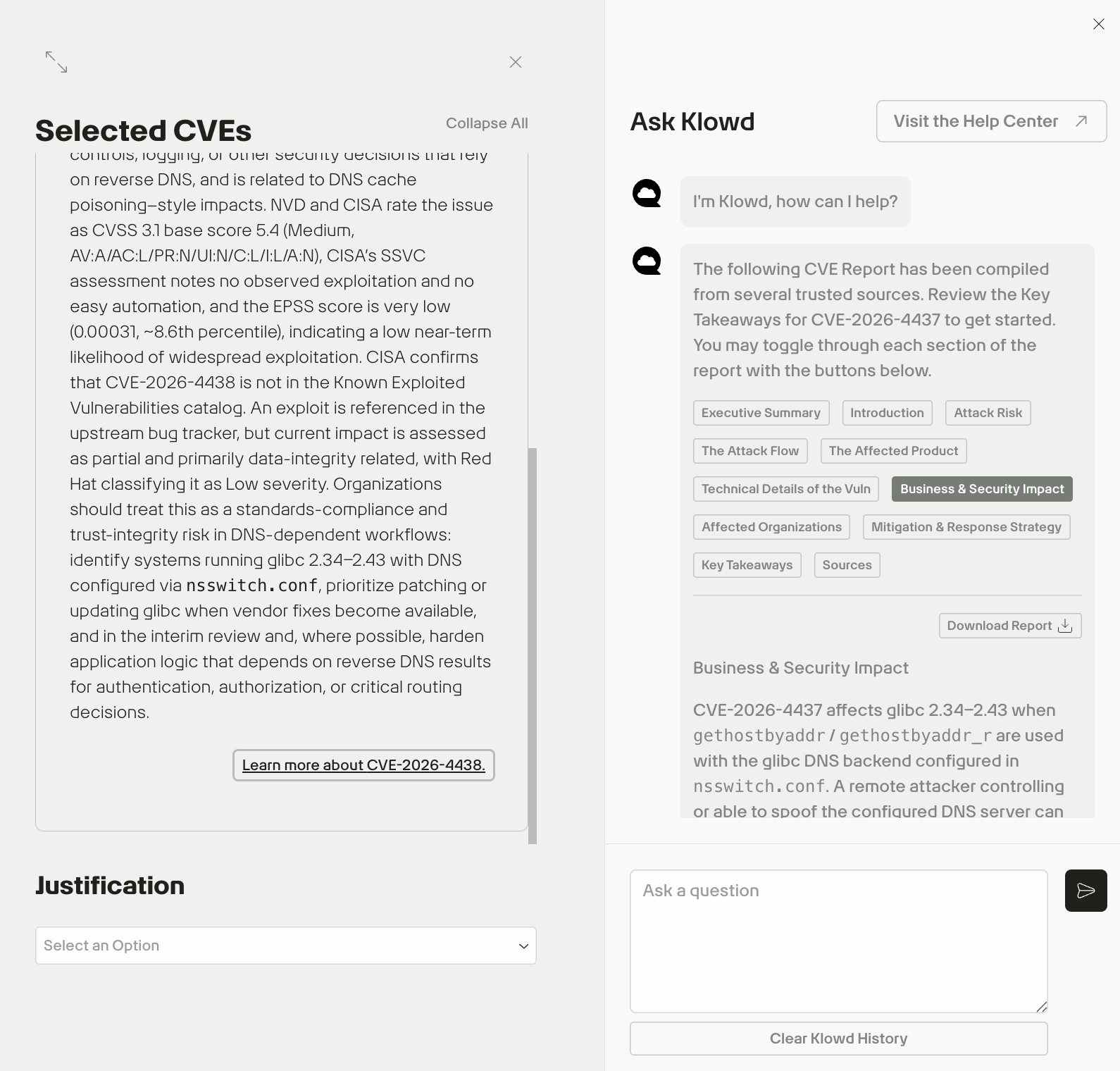
Use the built-in toggles to switch between different sections of the report, or click Download Report to download the full report in JSON format.
Note: If the Learn more about CVE-XXXX link does not open Klowd, copy the CVE ID and paste it directly into Klowd as a question (for example, "Tell me about GHSA-q4gf-8mx6-v5v3").
Review Mitigation & Response Strategy
The Mitigation & Response Strategy toggle offers structured, actionable guidance to help you understand, triage, address, and formally justify your response to the CVE.
Each CVE strategy is divided into five sections, each aligned to a stage in the response lifecycle:
| Section | What it tells you |
|---|---|
| Patch & upgrade strategy | Exact fixed versions and upgrade paths for the affected library or component |
| Identification & exposure assessment | How to determine whether and where your app is actually affected |
| Compensating controls | Interim mitigations to reduce risk when immediate patching is not possible |
| Monitoring, detection & incident response | How to detect exploitation and what to do if it occurs |
| Long-term remediation & governance | Process improvements to prevent recurrence and support formal risk acceptance |
How to use it in your CVE response process
Step 1 — Triage: determine your actual exposure
Before taking any action, use the Identification & exposure assessment section to scope your risk. It describes the conditions that make your application exploitable, specific API calls, input types, configuration states, or runtime behaviors. Use it to:
- Inventory all components that depend on the affected library or package, across your full version range.
- Determine whether those components exercise the vulnerable code path under your deployment's normal operation.
- Identify which services are internet-facing, multi-tenant, or accept input from untrusted users or systems.
- Prioritize based on exposure: services reachable by untrusted users or external systems carry higher risk than internal or air-gapped ones.
Step 2 — Patch: follow the upgrade path
The Patch & upgrade strategy section gives you the minimum fixed version for your current release branch and any guidance on preferred upgrade channels. Use it to:
- Identify the target version for each affected component.
- Determine whether a vendor or distribution package is available (preferred) or whether a direct library upgrade is required.
- Plan and execute the upgrade, prioritizing internet-facing and high-exposure services first.
Step 3 — Apply compensating controls if patching is delayed
If you cannot patch immediately, the Compensating controls section lists interim measures that reduce risk without removing the underlying vulnerability. Each control includes a note on when it may not be applicable to your environment. Use this sub-section to:
- Evaluate each listed control for feasibility in your specific deployment.
- Apply all controls that are operationally viable.
- Document controls that are not applicable, with a clear rationale for each.
- Set a firm remediation deadline.
Step 4 — Enable detection while the vulnerability is present
Whether or not you have patched, use the Monitoring, detection & incident response section to reduce your detection gap. It describes the observable indicators associated with exploitation of this specific CVE. Use it to:
- Identify which log sources or telemetry are relevant and increase verbosity where supported.
- Configure alerts for the behavioral indicators described (e.g. unexpected process termination, anomalous input patterns, unusual network activity).
- Check whether a public exploit or proof-of-concept exists. If one does, the sub-section will note it. Brief your security monitoring team and track vendor and CERT/CISA communications for updated indicators of compromise.
Step 5 — Close the loop with long-term governance
After remediating the immediate issue, use the Long-term remediation & governance section to address the conditions that allowed the vulnerability to persist or go undetected. It typically covers:
- Updating your dependency management process to track future advisories for the affected component (e.g. via SBOM tooling, vendor feeds, or automated scanning).
- Reviewing secure design and coding guidelines that are relevant to the vulnerability class.
- Formally documenting any systems that cannot be upgraded, with a defined risk owner, compensating controls, and a decommission or redesign plan.
Document justifications
Once you have reviewed the report, return to the drawer to finalize the status of the finding:
- Use the Justification dropdown to categorize the finding (e.g., False Positive, Mitigated, or Risk Accepted).
- Use the Details text field to provide specific reasoning or internal notes regarding the mitigation plan.
Klowd is evolving—share your feedback
Got a thought? If Klowd gives you a great answer (or a confusing one), please use the thumbs up/down icons in the chat. We are building Klowd for you, so let us know how we can make it better!