Recommended Containers
For containerized applications, Game Warden recommends the following options to simplify onboarding and increase the likelihood of security approval:
Chainguard containers
Chainguard provides minimal, security-focused container images designed to reduce vulnerabilities and simplify compliance.
These images are typically smaller and less complex, often resulting in zero Common Vulnerabilities and Exposures (CVEs).
Why choose Chainguard
- Minimal footprint with a strong security posture.
- Often CVE-free, reducing your remediation burden.
- Free when using images tagged
latest.
Usage guidelines
-
You may build upon Chainguard base images and push your derived images to the Game Warden Harbor registry.
-
The
latesttag always pulls the newest image version, which may introduce unexpected changes. To avoid unexpected changes, always:- Pull the
latesttag. - Retag the image with your specific application version.
- Push the tagged version to Game Warden.
- Pull the
-
Chainguard images with tags other than
latestmay require a paid subscription. Contact your Mission Success Manager (MSM) for partnership details.
Iron Bank containers
Iron Bank hosts hardened container images vetted by Platform One (P1) to meet Department of War (DOW) standards. These images can be pushed to Harbor registry, and eventually deployed to Game Warden.
When selecting images from Iron Bank, pay close attention to two key ratings — they help assess the security posture of each image:
- Acceptance Baseline Criteria (ABC) - Indicates whether the image meets Iron Bank’s security compliance standards.
- Overall Risk Assessment (ORA) - Scored between 0% and 100%, where higher scores reflect better security posture.
We recommend choosing images that are ABC Compliant with an ORA of 80% or higher to improve your chances of approval on the Game Warden platform.
Responsibilities when using Iron Bank
- Understand the ABC and ORA scores of your selected images.
- Notify the Game Warden team when you plan to use Iron Bank images, especially those currently marked as compliant with strong ORA scores.
- Monitor image compliance regularly and stay informed on End of Life (EoL) status, as image compliance can change over time.
- If a container’s compliance status changes:
- Coordinate with the image owner through P1 to resolve issues.
- Migrate to a compliant image if necessary.
- Always use the latest, compliant version of your selected image.
If an Iron Bank container does not initially meet security requirements, you may be asked to select a different image. However, containers below the recommended thresholds may still be approved after review by the Game Warden security team:
- Low and Medium CVEs exceeding thresholds may be justified.
- High and Critical CVEs are assessed individually for security impact.
To minimize approval delays, notify the Game Warden team early when selecting images for deployment.
Images with EoL status
- EoL images are unsupported and likely won’t pass security review.
- Typically, you’ll have 6–12 months of overlap between new and deprecated images.
- Check for updates monthly to maintain compliance.
How to pull from Iron Bank
- Log into the Iron Bank Catalog using your P1 SSO.
- Search for your preferred image.
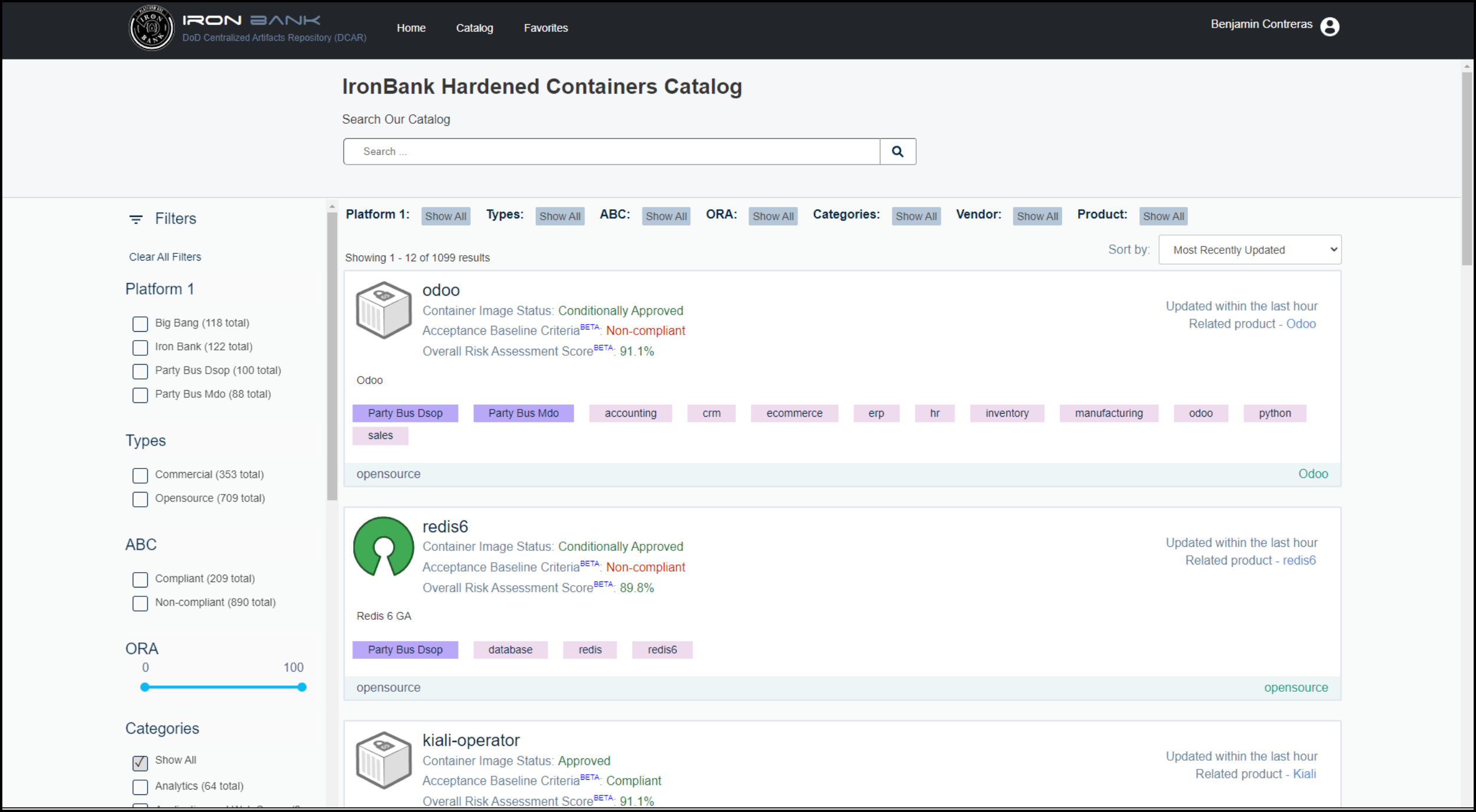
- From the search results, select the image to view the Registry One Docker pull command.
- Locate the pull command for your image - for example:
docker pull registry1.dso.mil/ironbank/big-bang/argocd:v2.4.7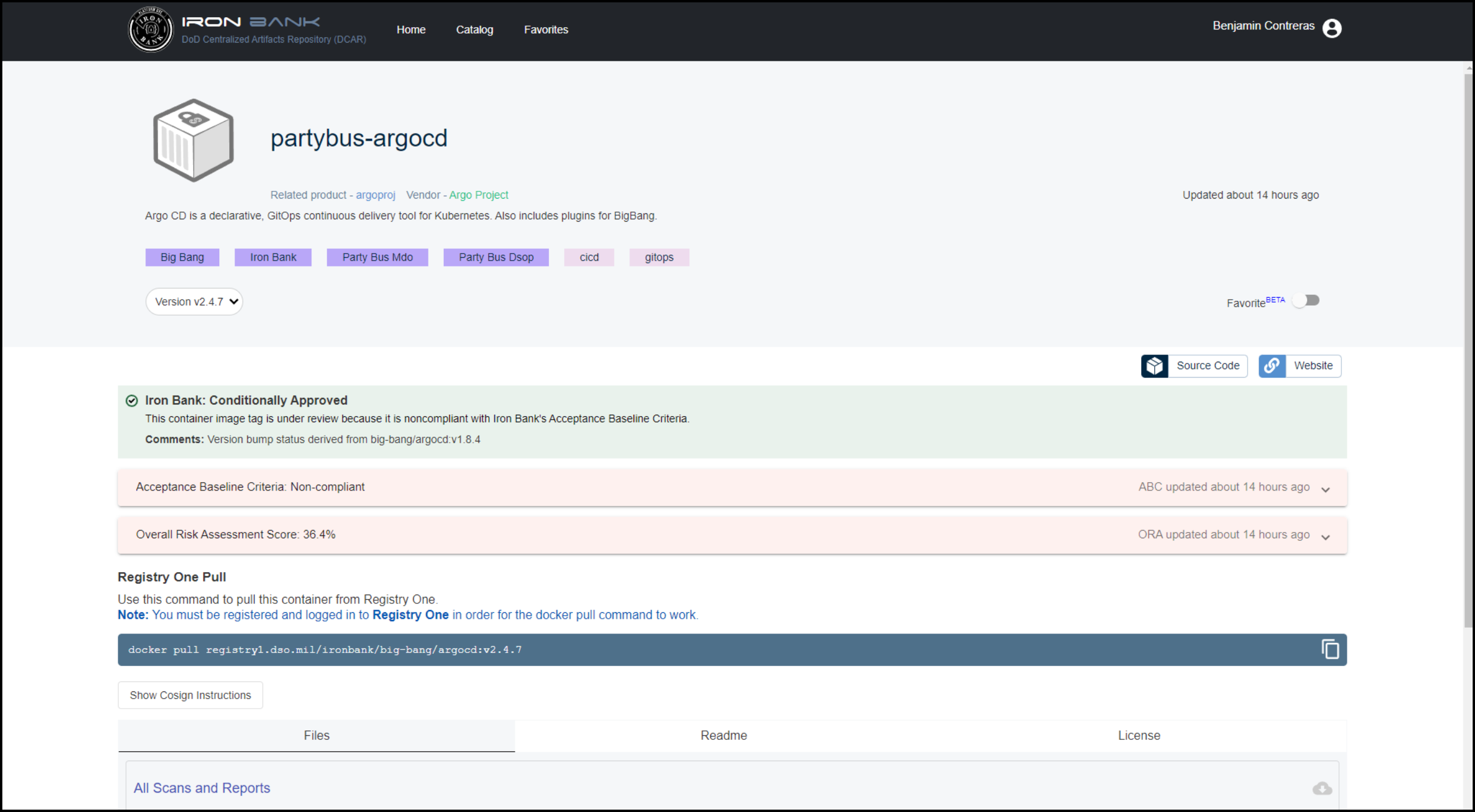
Other container options
You may choose to build your own containers or select images outside of Chainguard or Iron Bank. However, these images will undergo more rigorous security scrutiny.
If you do, we recommend scanning your images with open-source tools such as Trivy or Grype to identify and address Common Vulnerabilities and Exposures (CVEs) before submitting to Game Warden.
Recommended practice: Distroless containers
Distroless containers are minimal container images that include only the application and its runtime dependencies — they exclude the operating system package manager and unnecessary libraries. This approach improves security by reducing the container’s attack surface and limits the potential for vulnerabilities.
Benefits of distroless containers
- Smaller image size, leading to faster downloads and deployments.
- Fewer included libraries and tools, reducing the attack surface.
- Lower CVE exposure due to minimal dependencies.
- Easier to maintain and deploy consistently.